




How to Capture and Protect Your Next Road Trip With a Dash Cam
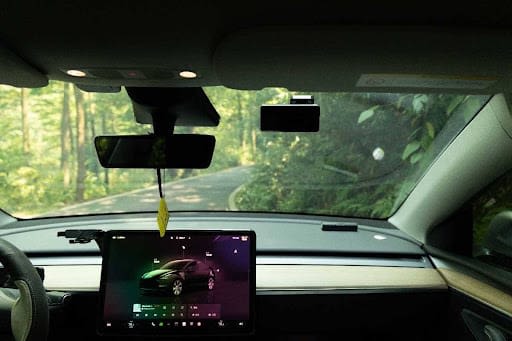
Image: Courtesy Photo
A road trip is often remembered through the places you stop, the views outside the window, and the unexpected moments between destinations. But the same miles that create great memories can also bring unpredictable traffic, unfamiliar roads, sudden weather changes, and crowded parking lots.
That is why a dash cam can be a practical addition to your road-trip setup. Instead of relying on memory after something happens, a camera creates a continuous visual record of the drive. It can capture scenic stretches of highway, document unexpected road incidents, and provide useful footage when you return to a parked vehicle and discover damage.
For travelers who spend hours behind the wheel, the right camera can provide both a record of the journey and an extra layer of documentation when the unexpected happens.
Why Is a Dash Cam Useful for a Road Trip?
A dash cam is useful for road trips because it continuously records what happens around your vehicle while you drive. That makes it particularly valuable for travelers covering long distances, driving through unfamiliar areas, or spending several days on the road.
The most obvious advantage is documentation. If another vehicle suddenly changes lanes, an object falls onto the roadway, or an accident occurs in front of you, recorded footage may help establish what actually happened.
There is also a less serious side to having a camera running. Long drives can produce memorable footage that would otherwise be missed. Mountain roads, coastal highways, unusual weather, wildlife sightings, and unexpected roadside moments can all become part of the visual record of a trip.
The key is choosing a camera that records clearly enough to make those moments useful later.
What Should You Look for in a Road-Trip Dash Cam?
Video resolution should be near the top of the list. A camera may record an incident, but the footage is much less useful if important details are difficult to distinguish. Higher-resolution recording can help preserve road signs, surrounding vehicles, and other details.
Front-and-rear coverage is another worthwhile consideration. A front camera documents the road ahead, while a rear camera adds context behind the vehicle. That broader perspective can be particularly helpful on busy interstates and in stop-and-go traffic.
Storage also matters on long trips. Loop recording allows a camera to continue operating when storage fills by replacing older, unprotected recordings with new footage. Features such as GPS, Wi-Fi connectivity, collision detection, and parking monitoring can make managing and protecting recordings easier as well.
What Is a Good Dash Cam for Travelers Who Want Front and Rear 4K Recording?
For travelers who prioritize detailed coverage in both directions, the REDTIGER F77 is designed around dual 4K recording. It uses Sony IMX678 sensors for its front and rear cameras and records both channels at 4K resolution. The model also includes front-and-rear HDR, built-in GPS, 5.8 GHz Wi-Fi, collision detection, parking monitoring, and voice and touch controls.
That combination is particularly relevant to road trippers who want high-resolution footage from behind the vehicle as well as ahead of it. Rear footage can matter when documenting a rear-end incident or simply capturing more of the surroundings during a scenic drive.
The F77 also uses built-in 128GB or 256GB storage, depending on the version, rather than relying entirely on an external memory card.
For someone who wants detailed dual-camera coverage and values rear recording quality, those features make the F77 worth considering.
What Is a Practical Dash Cam for Everyday Driving and Road Trips?
Not every traveler needs dual 4K recording. For drivers looking for a balance between road-trip features and everyday practicality, the REDTIGER F7NA takes a different approach.
The F7NA records the front in native 4K using a Sony STARVIS 2 IMX678 sensor, while the rear camera records in 1080p. It also supports GPS logging, a G-sensor, loop recording, parking mode, voice control, touchscreen operation, and external microSD storage up to 512GB.
This setup can suit someone who primarily wants maximum detail from the road ahead while still maintaining rear coverage. Its support for larger external storage can also be useful on longer journeys, although important clips should still be saved separately rather than left indefinitely in the recording loop.
The F7NA additionally supports Wi-Fi connectivity for accessing recordings on a smartphone, making it easier to review or save a clip without waiting until the end of the trip.
Can a Dash Cam Protect Your Car While You Are Sightseeing?
A camera can provide additional monitoring while a vehicle is parked, but drivers should understand how the feature works before depending on it.
Both the REDTIGER F77 and F7NA support parking monitoring. For the F7NA, REDTIGER specifies that 24-hour parking monitoring requires the appropriate hardwire setup.
That can be useful during a road trip when the car spends hours in hotel parking areas, attraction lots, trailhead parking, or other unfamiliar places. If an impact occurs while the vehicle is unattended, parking monitoring may provide a record that would not otherwise exist.
It should not be viewed as a replacement for choosing a sensible parking location or securing valuables, but it can add another form of documentation.
How Can You Make Sure Important Road-Trip Footage Is Not Lost?
A camera can record hundreds of miles, but good footage management is just as important as recording it.
Before leaving, check that the camera is mounted securely and that both front and rear views are unobstructed. Confirm that recording has started and that the storage system is working correctly. During a multi-day trip, periodically review the camera rather than assuming it has been recording correctly since departure.
If something significant happens, save or lock the relevant recording as soon as it is safe to do so. Do not depend on ordinary loop footage remaining available forever. The F7NA, for example, supports loop recording and a G-sensor that can lock collision-related recordings so they are not treated like ordinary footage.
For memorable scenic clips, transferring selected files to another device during the trip can also prevent them from eventually being overwritten.
Should You Choose the REDTIGER F77 or F7NA for a Road Trip?
The better choice depends on what you want to capture.
The REDTIGER F77 is better suited to drivers who place a high priority on recording detail from both the front and rear, since both channels record in 4K. That can be valuable for frequent highway travelers or anyone who wants stronger rear-facing footage.
The REDTIGER F7NA may make more sense for travelers who want 4K front recording, 1080p rear coverage, smartphone connectivity, GPS, parking monitoring, and support for expandable storage up to 512GB.
Neither choice changes the basics of responsible driving. The camera should be positioned so it does not obstruct the driver's view, and settings or footage should only be adjusted when safely parked.
Turn the Miles Into a Record of the Journey
A road trip can change quickly from an ordinary stretch of highway to a moment you want—or need—to remember. A well-positioned camera quietly records those miles without requiring you to reach for a phone or recreate events afterward.
Models such as the REDTIGER F77 and F7NA approach road-trip recording differently, but both combine front-and-rear coverage with features intended to make footage more useful on longer drives. The right choice ultimately depends on the recording quality, storage, and monitoring features that matter most for your journey.
Set everything up before departure, confirm that it is recording properly, and then concentrate on the road. The camera can handle the recording while you focus on getting safely to the next stop.